Reports & dashboards
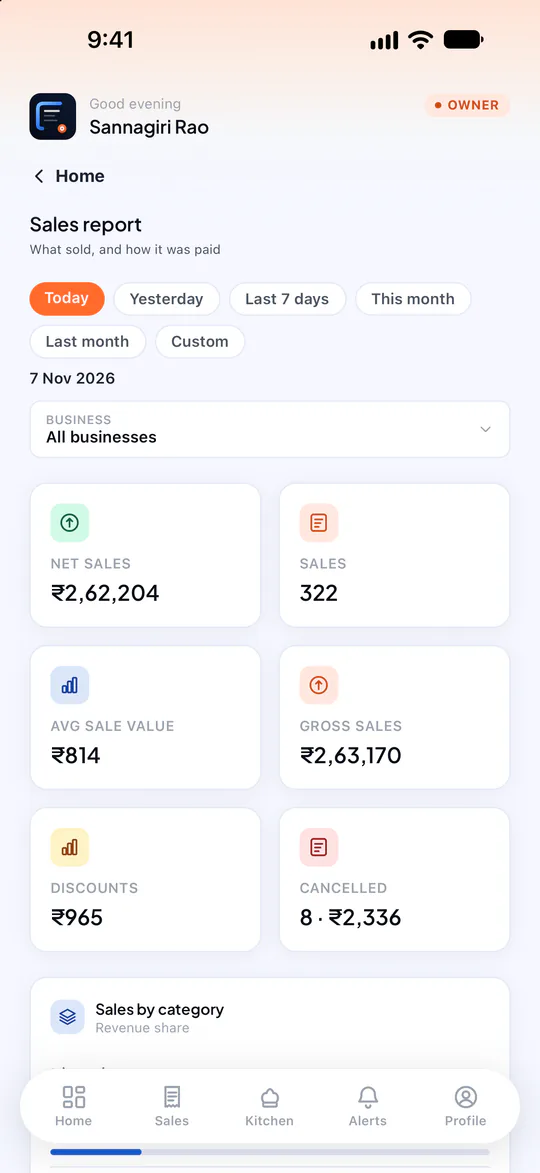
Know how today is going — and how every outlet compares. A live home screen for the owner, a full sales report for any dates, and side-by-side outlet comparison for groups that run more than one location.
What Reports & dashboards does
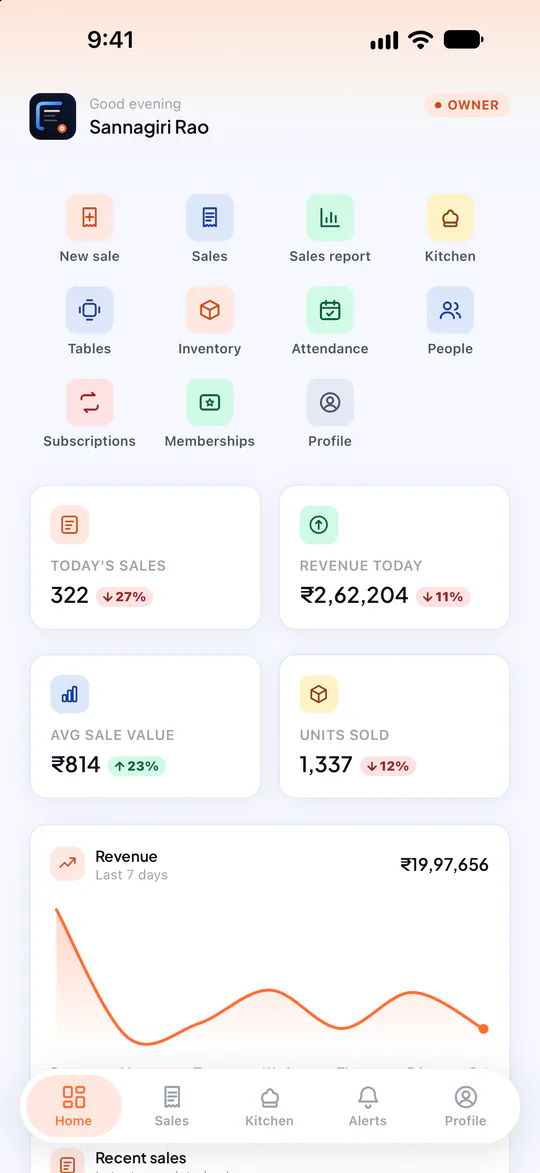
Today at a glance
Sales, revenue, average bill and units sold against yesterday, with the last seven days’ trend.
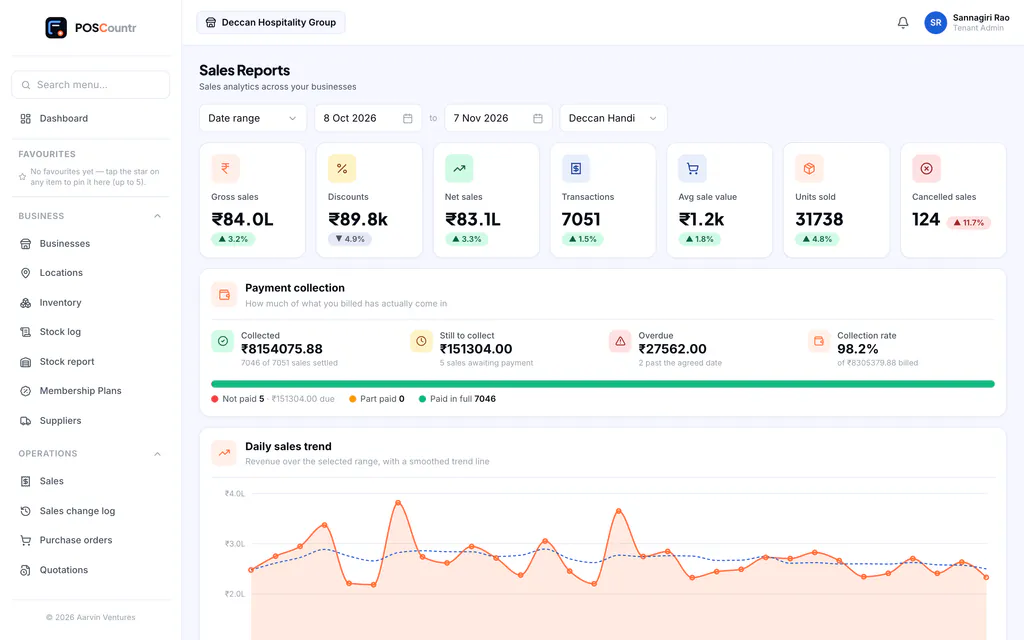
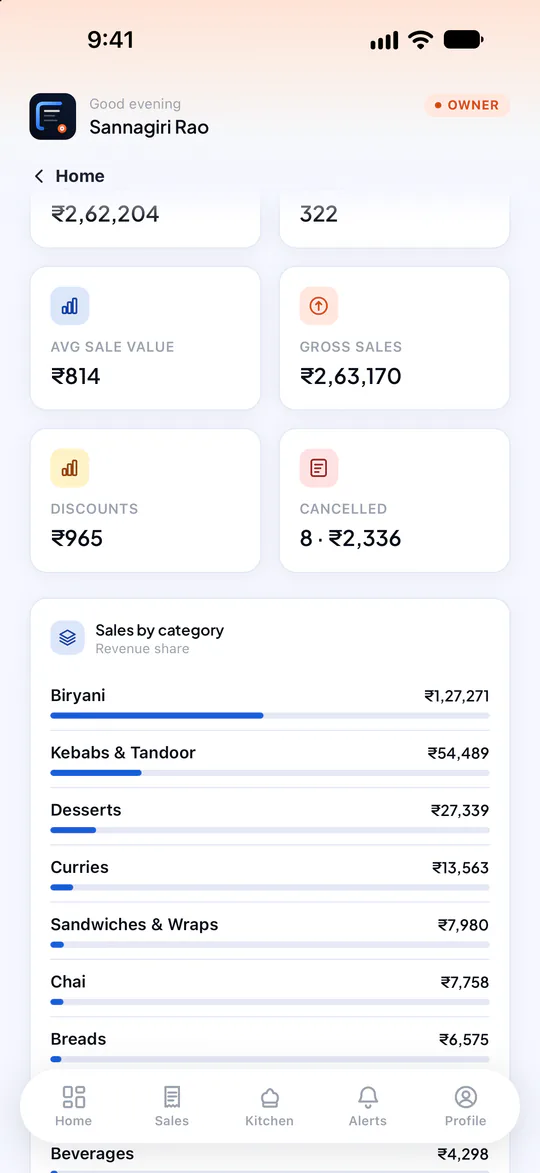
Sales report
Daily trend, categories, payment methods, sales channels, discounts, cancellations and top products for any date range and business.
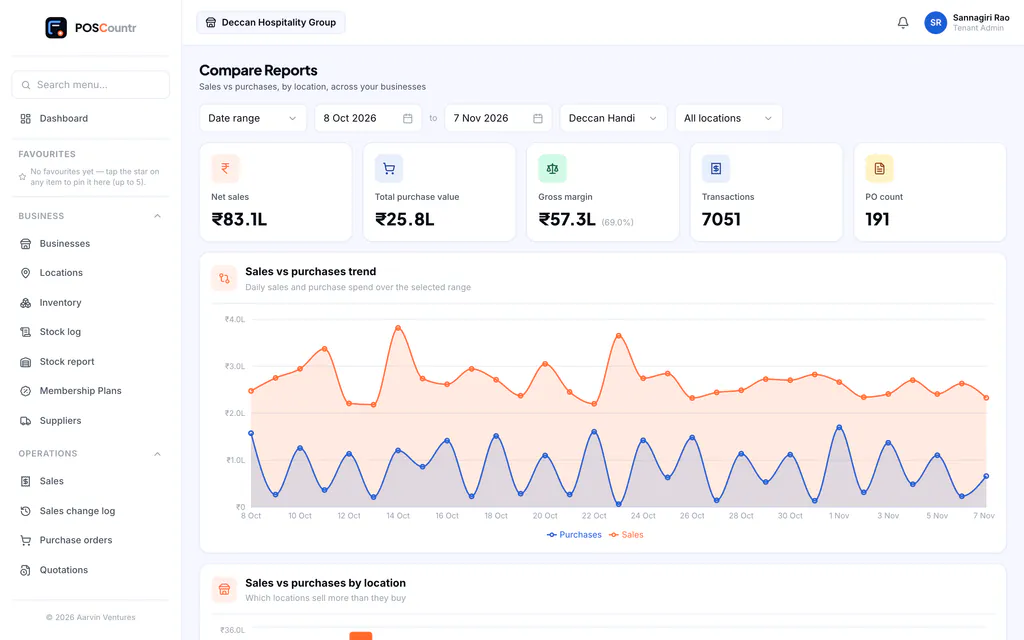
Outlet comparison
Put your outlets side by side — revenue, bills, average value and growth — to see which one needs attention.
Stock and purchase reports
Stock on hand, stock movements and what you bought, per outlet.
Team reports
Attendance by person and by month.
Sales log export
Every change made to every sale, exportable to Excel for the owner.
Reports & dashboards, in the product
Real screens from POSCountr, shown with demo data.
Questions about reports & dashboards
Can my manager see the reports?
Managers see their own outlet. Owners see every business and outlet, plus owner-only pages such as the sales log and accounts export.
Reports & dashboards at a glance
- Plans
- Sales summary on every plan · full reports and outlet comparison from Business up
- Works on
- Web dashboard · iPhone, iPad & Android app
- Good for
- Restaurants & cafés · Retail & kirana · Pharmacy & healthcare · Salons, gyms & services · Chains & multi-brand groups
See POSCountr on your own business.
A 30-minute walkthrough on WhatsApp video or at your counter in Hyderabad. We set you up, import your products and train your team.
Already a customer? Get the app.