Swiggy & Zomato sales
Platform orders in the same books — with the GST rules they need. Record Swiggy and Zomato orders alongside your own sales, with the platform’s order number and discounts, and the Section 9(5) GST treatment food-delivery platforms require. Then check each payout against what you sold.
What Swiggy & Zomato sales does
One list of sales
Pick Swiggy or Zomato on New sale, add the platform order number and any restaurant-funded discount; bills and KOTs show the platform.
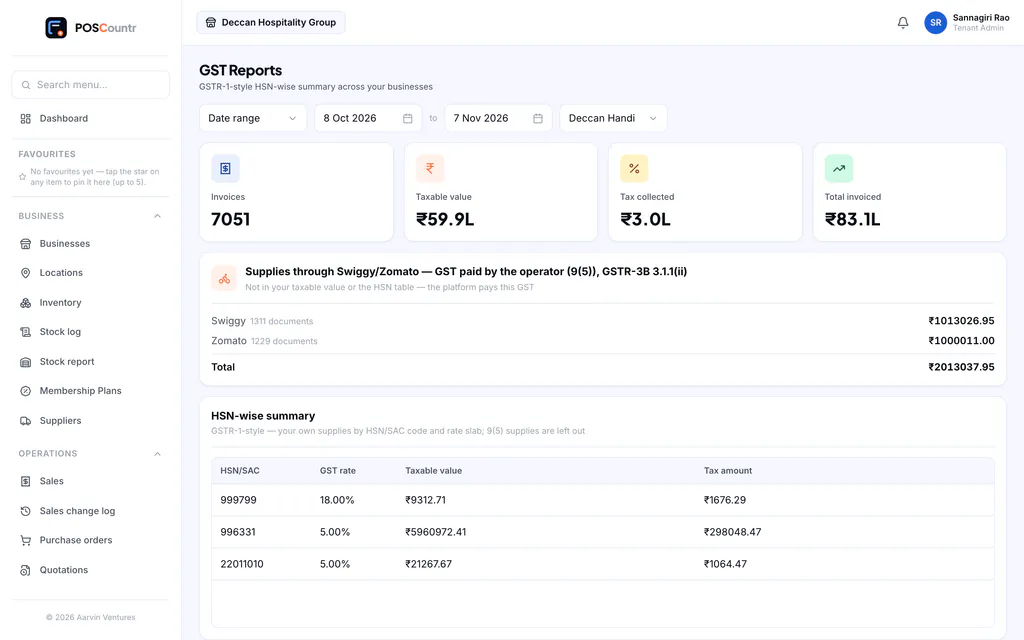
Section 9(5) handled
Restaurant-service lines carry no GST for you where the platform pays it; packaged goods stay taxable. The GST report shows the 9(5) figures separately.
Platform pricing
Apply your platform mark-up with rounding so menu prices match what the customer saw.
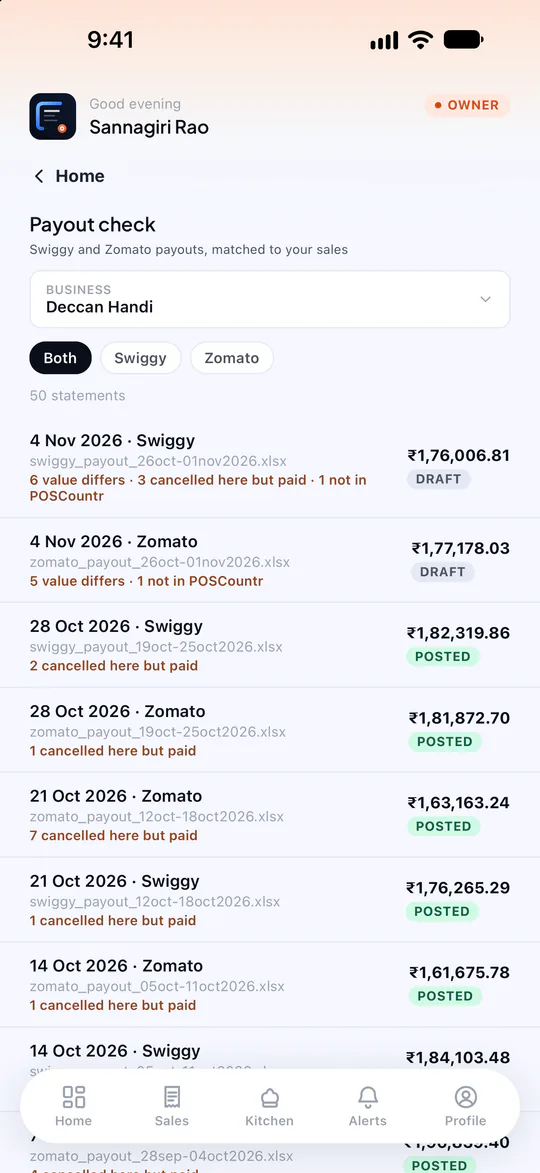
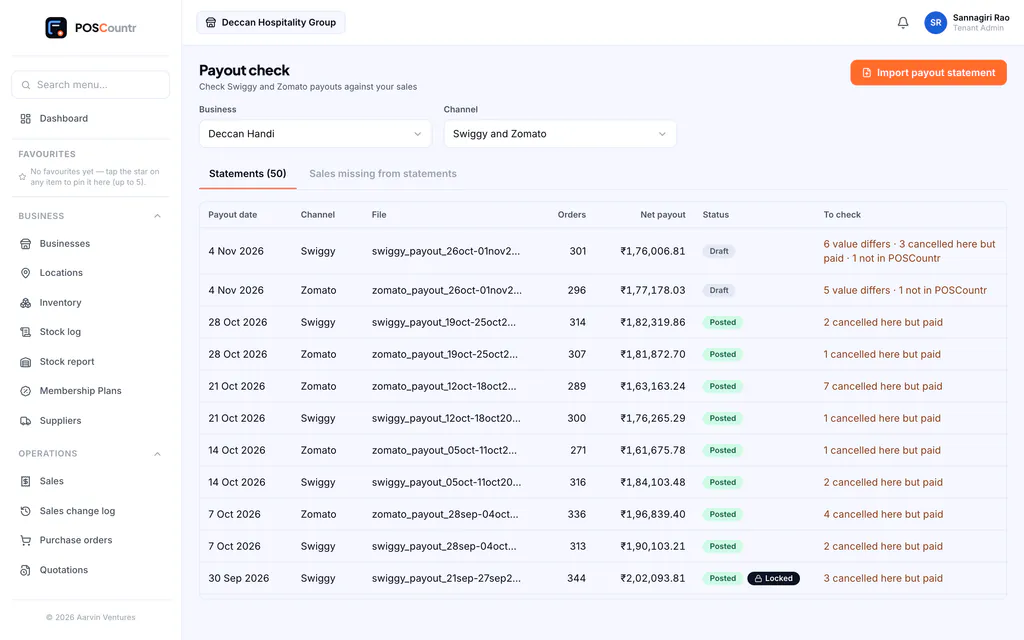
Payout check
Upload a platform’s payout statement, map its columns once, and see each order matched — with short payments and unrecorded orders called out.
Into Tally
Platform receipts post to Tally as journals, so payouts and sales reconcile.
Your passwords stay yours
POSCountr never asks for your Swiggy or Zomato login.
Swiggy & Zomato sales, in the product
Real screens from POSCountr, shown with demo data.
Questions about Swiggy & Zomato sales
Do Swiggy and Zomato orders arrive in POSCountr automatically?
Not yet. Today you record each platform order on New sale (it takes seconds) and check payouts against statements. A live order relay is on the roadmap.
Swiggy & Zomato sales at a glance
- Plans
- Recording platform sales: every plan · Payout check: Business and up, or an add-on
- Works on
- Web dashboard · iPhone, iPad & Android app
- Good for
- Restaurants & cafés
- Note
- Payout check is a separate module (Business plan and above, or an add-on).
See POSCountr on your own business.
A 30-minute walkthrough on WhatsApp video or at your counter in Hyderabad. We set you up, import your products and train your team.
Already a customer? Get the app.